Project 1.1.6: Three LEDs Blink
| Description | This project shows how to make three LEDs turn on and off one after the other using an Arduino Uno. It introduces simple sequencing and timing control. |
|---|---|
| Use case | This project imitates a traffic light system, where different lights turn on in order to guide movement and improve safety. |
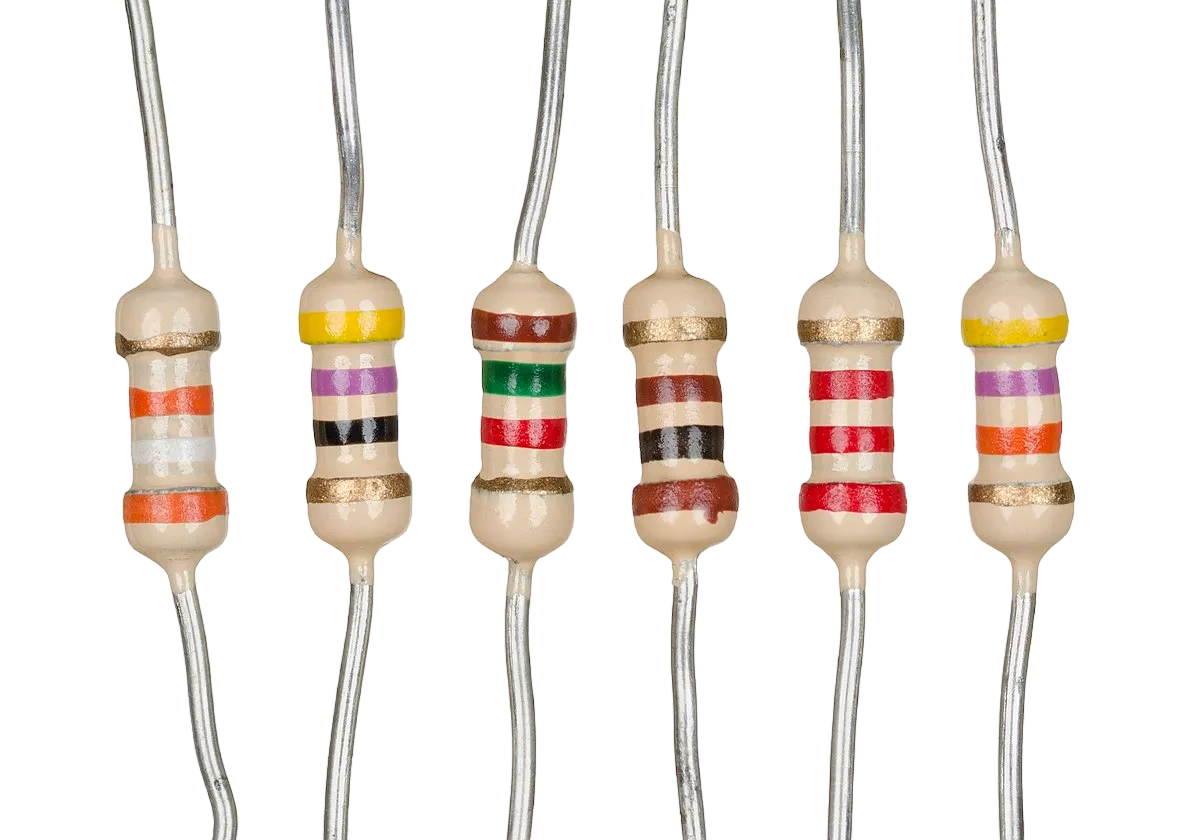
Components (Things You will need)
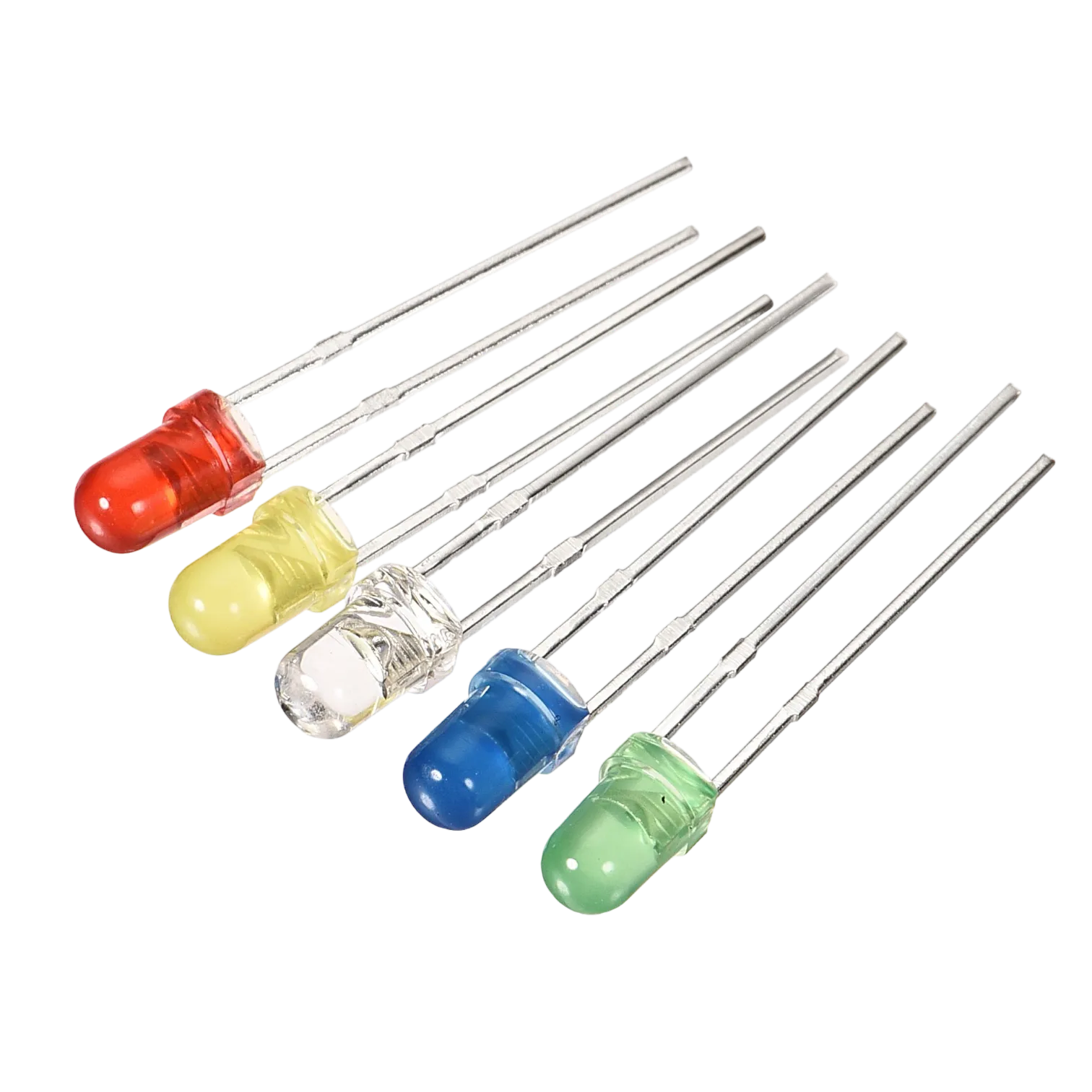 |
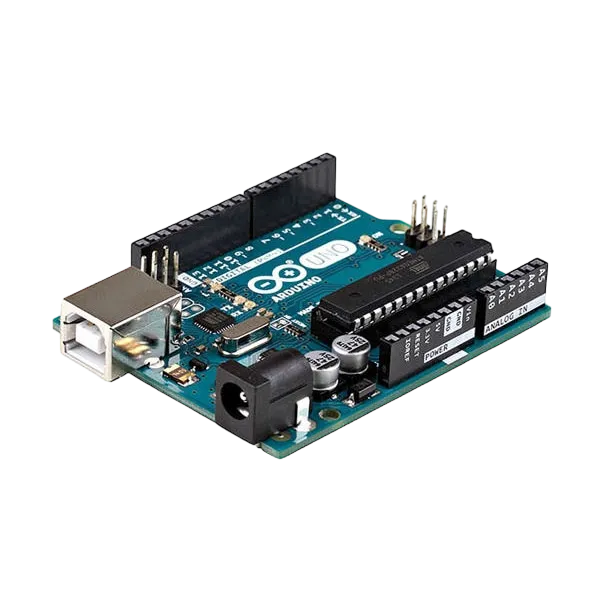 |
 |
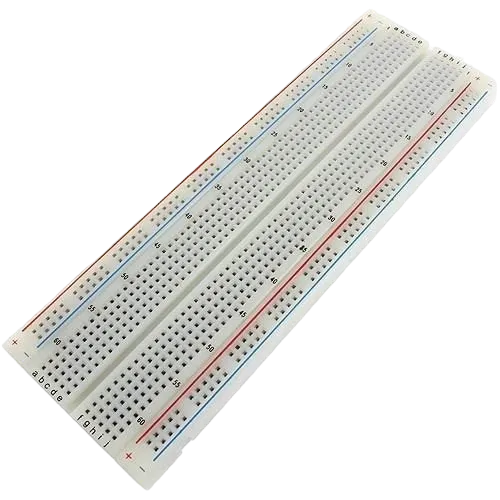 |
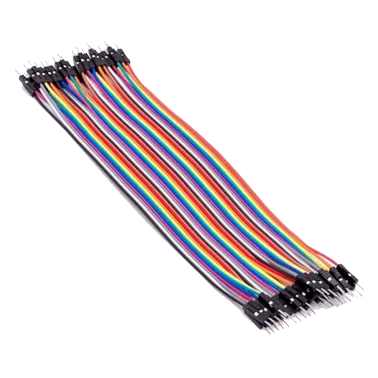 |
 |
|---|---|---|---|---|---|
Building the circuit
Things Needed:
- Arduino Uno = 1
- Arduino USB cable = 1
- LEDs = 6
- Jumper Wires
Mounting the component on the breadboard
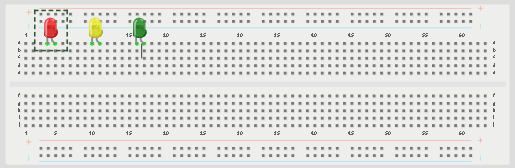
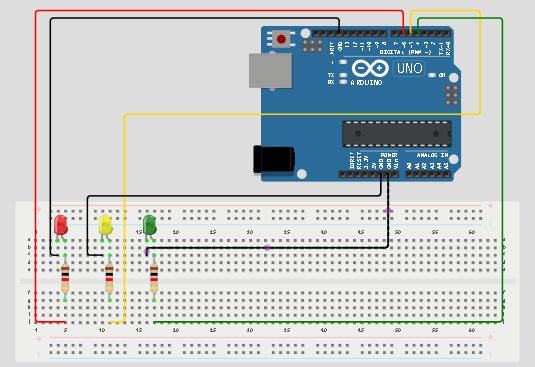
Step 1: Place the three LEDs on the breadboard. For each LED, the longer leg is the positive pin, while the shorter leg is the negative pin.
 .
.
NB: Make sure you identify where the positive pin (+) and the negative pin (-) is connected to on the breadboard. The longer pin of the LED is the positive pin and the shorter one, the negative PIN.
WIRING THE CIRCUIT
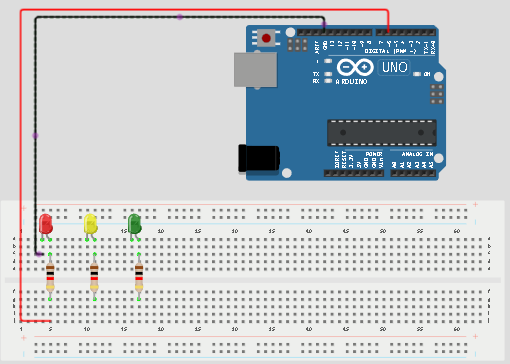
Step 2:Connect the positive leg of the first LED to pin 6 on the Arduino through a 220Ω resistor. Connect its negative leg to GND.
 .
.
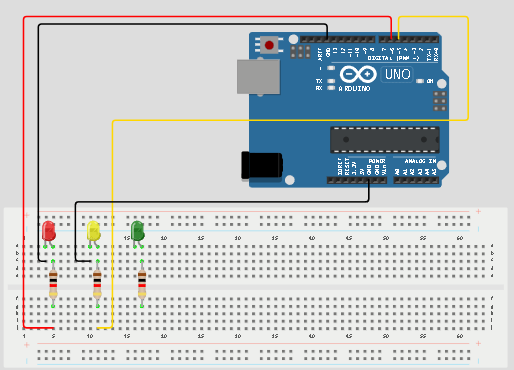
Step 3: Connect the positive leg of the second LED to pin 5 on the Arduino through a 220Ω resistor. Connect its negative leg to GND.
 .
.
Step 4: Connect the positive leg of the third LED to pin 4 on the Arduino through a 220Ω resistor. Connect its negative leg to GND.
 .
.
make sure you connect the arduino usb use blue cable to the Arduino board.
PROGRAMMING
Step 1: Open your Arduino IDE. See how to set up here: Getting Started.
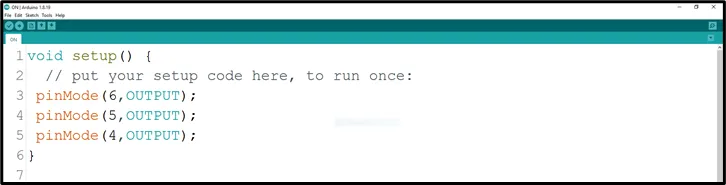
Step 2: Type the following codes in the void setup function as shown in the image below.
pinMode(6, OUTPUT);
pinMode(5, OUTPUT);
pinMode(4, OUTPUT);
 .
.
NB: pinMode will help the Arduino board to decide which port should be activated. The code below will turn off the three light bulbs.
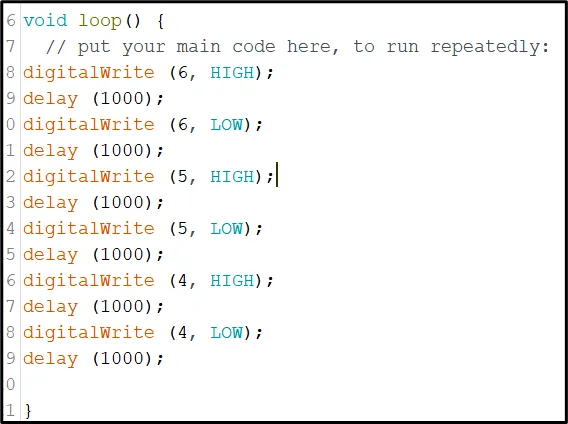
Step 3: Type the following codes in the void loop function.as shown in the image below;
digitalWrite(6, HIGH);
delay(1000);
digitalWrite(6, LOW);
delay(1000);
digitalWrite(5, HIGH);
delay(1000);
digitalWrite(5, LOW);
delay(1000);
digitalWrite(4, HIGH);
delay(1000);
digitalWrite(4, LOW);
delay(1000);
 .
.
NB: To turn this LEDS off, you can change the “HIGH” in the ode into “LOW”
Step 4: Save your code. See the Getting Started section
Step 5: Select the arduino board and port See the Getting Started section:Selecting Arduino Board Type and Uploading your code.
Step 6: Upload your code. See the Getting Started section:Selecting Arduino Board Type and Uploading your code
CONCLUSION
This project helps learners understand how to control three LEDs in a sequence using Arduino. It is a simple introduction to traffic light systems, timing, and repeated actions.